
Building a Composition from Sound Clips
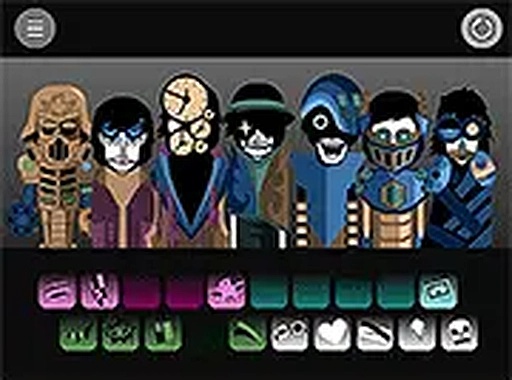
Audio Craft Mixing Studio organizes its sounds into categories that act as building blocks. Each category holds multiple audio clips, displayed as visual icons so you can tell beats, melodic phrases, and atmospheric effects apart at a glance. Before committing a sound to your project, you can preview it, which helps you decide whether it fits the mix you have in mind. The icons and categories keep the selection process grounded in recognition rather than guesswork.
Arranging and Layering on the Timeline
The central activity is placing chosen sounds onto a timeline or mixing board. Position determines when a sound plays and how it interacts with the others, so layering becomes a way to build texture and rhythm. The system lets you add, remove, and reposition sounds at any point, which means the final mix stays open to revision. That flexibility is what encourages trying combinations you might not have planned.
Immediate Audio Response
Every action triggers an updated playback of the mix. Add a sound or move it, and you hear the result right away. This real-time feedback makes the relationship between placement and sound easy to grasp, and it turns the learning process into something intuitive because there is no delay between a decision and its audible outcome.
Designed for Low-Friction Access
The interface avoids complex menus and steep learning curves. New users can begin creating within seconds of loading the page, and drag-and-drop works on both touchscreens and mouse-based systems. With no timers, scores, or competitive elements, there is no right or wrong way to combine sounds. You can spend as long as you like on a project, making simple loops or more elaborate arrangements. Because it runs entirely in a web browser, the same features are available on desktop computers, laptops, tablets, and smartphones without downloads or installations, and the experience stays consistent across screen sizes.
Comments
0 comments