
Game Introduction
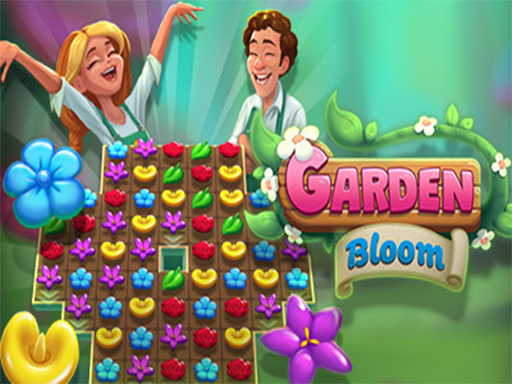
Garden Bloom Puzzle Game is a hypercasual puzzle experience that invites players into a vibrant garden setting. The core objective is to help a garden flourish by solving puzzles that involve matching colorful flowers. Designed for all ages, it offers a relaxing yet engaging challenge that celebrates nature and careful thinking. The game stands out for its cheerful spring visuals and accessible mechanics, making it an ideal choice for quick mental breaks or longer play sessions.
How to Play
Players start by looking at a garden board filled with different flower tiles. The goal is to match three or more identical blooms to clear them and earn points. Typically, players click or tap on a flower to swap it with a neighboring one, creating matches in rows or columns. As levels progress, new flower types and obstacles may appear, requiring sharper attention. Power-ups can be used to clear tricky spots and unlock special bonuses. The game rewards careful planning and quick decisions to achieve high scores and unlock new garden areas.
Game Features
Features include colorful spring visuals that are easy on the eyes, puzzles that boost attention and concentration, and family-safe content suitable for children and adults. The game offers a positive, relaxing challenge without any inappropriate themes. It combines simple mechanics with rewarding progress, allowing players to exercise their minds during short breaks or longer play sessions.
Tips for Success
To succeed, practice regularly to improve pattern recognition and speed. Learn the mechanics of each new flower type and obstacle as they appear. Use power-ups strategically to clear difficult areas rather than wasting them early. Plan moves ahead to create larger matches and chain reactions. Take breaks when needed to maintain focus and enjoy the relaxing atmosphere.
Comments
0 comments