
Game Introduction
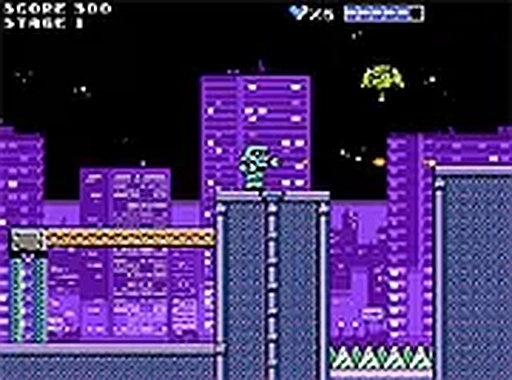
Robo Quest: Retro Platformer is a 2D action game that brings back the feel of classic 8-bit adventures. You take on the role of a small robot built by a scientist, tasked with navigating a series of challenging levels. The world is filled with moving obstacles and enemy robots that you must avoid or outsmart. The game uses bright pixel art and a lively soundtrack to create a nostalgic yet fresh experience. It is designed to be accessible for players of all ages, focusing on skill and timing rather than violence. The main objective is to reach the end of each stage while collecting helpful items along the way. Boss encounters at the end of certain levels require you to watch patterns and react quickly. The game runs directly in your browser, so no downloads or installations are needed. This makes it easy to start playing instantly on any desktop computer.
How to Play
Players control their robot character using a keyboard. Standard movement keys allow you to move left and right, and a separate key is used for jumping. A special action key lets you fire a projectile tool to interact with objects or distract enemies. The goal in each level is to navigate from the start to the exit while avoiding hazards. Some platforms move, and some enemies follow set paths. You can collect power-ups that temporarily boost your abilities or restore energy. Boss fights require you to learn their attack patterns and find the right moment to strike. The game is designed for desktop play, so a keyboard or mouse is recommended. You can also switch to full screen mode for a more immersive view.
Game Features
Robo Quest: Retro Platformer includes several features that appeal to fans of classic action games. The pixel art style and chiptune music create an authentic retro atmosphere. The game offers multiple levels that gradually increase in difficulty, providing a steady challenge. Boss encounters require pattern recognition and precise timing. The controls are simple and responsive, making the game easy to pick up but hard to master. It is free to play and requires no setup, as it runs entirely in a web browser. The family-friendly design ensures that the content is suitable for all ages, with no violent or inappropriate themes.
Tips for Success
Practice each level to learn the placement of obstacles and enemy movements. Collect all available power-ups to make your robot stronger. Stay patient during difficult sections and focus on timing your jumps and actions. Watch boss patterns carefully before attacking. Use the environment to your advantage, such as using platforms to avoid ground-level threats. Regular practice will improve your reflexes and help you progress through the game.
Comments
0 comments