Details

Children Music Instruments Fun

Children Music Instruments Fun

Developer: Rule Reapers
Published: 2024-04-12
Updated: 1970-01-01
Arcade Hypercasual

Reviews

Children Music Instruments Fun is a wonderful app for introducing young children to music. The bright, colorful interface and large buttons make it easy for little fingers to tap and explore. With no ads, timers, or scoring, kids can freely experiment with sounds from four classic instruments. The instant audio feedback keeps them engaged, and the simple layout allows independent play. It is a safe, educational, and fun tool for early auditory development.

About this game

Game Introduction

Children Music Instruments Fun is a simple, colorful music app designed for young children. It introduces kids to the sounds of four classic instruments: piano, xylophone, harp, and drums. The game focuses on free exploration without any scores, timers, or rules, allowing toddlers and preschoolers to tap and listen at their own pace. This safe, ad-free environment encourages creativity and early auditory development, making it a gentle introduction to music for little ones.

How to Play

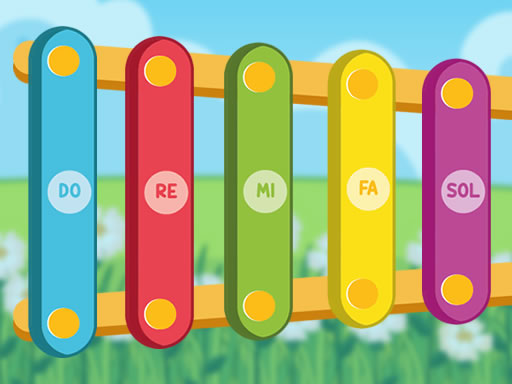
Playing is very intuitive. Children start by selecting an instrument from the main menu. Once chosen, the instrument appears on the screen. For the piano, they tap any key to hear a note. The xylophone shows colorful bars that produce a tone when tapped. The harp displays strings that can be plucked by tapping, and the drum set has pads that make drum sounds. Each touch triggers an immediate, realistic audio response. There are no instructions to read, so children can begin playing right away and experiment with different patterns and rhythms.

Game Features

The game includes four realistic instruments: piano, xylophone, harp, and drums. It features a bright, colorful interface with large, touch-friendly buttons designed for small fingers. There are no ads, no in-app purchases, and no timers or scoring, ensuring a distraction-free experience. Instant sound feedback rewards every tap, and the simple layout makes it easy for even the youngest players to navigate independently.

Tips for Success

Encourage children to explore freely without worrying about mistakes. Let them try tapping different keys or bars to hear how each sound is unique. Playing along with a favorite song can make the experience more engaging. Regular, short sessions help build listening skills and hand-eye coordination. Most importantly, let the child lead the playβ€”this fosters creativity and a natural love for music.

Compatibility

β€’ OS: Windows 10+, macOS 11+, iOS 14+, Android 10+
β€’ Browsers: Chrome 100+, Safari 15+, Edge 100+, Firefox 100+
β€’ Not compatible with Internet Explorer
Tested on real devices βœ… works as expected
Advertisement

Faq

Is Children Music Instruments Fun free to download?
Yes, the app is free to download. There are no in-app purchases or hidden costs, ensuring a completely free experience for families.
What age group is Children Music Instruments Fun designed for?
The app is designed for toddlers and preschoolers, typically ages 1 to 5. The simple interface and large buttons make it easy for even the youngest children to use.
Does Children Music Instruments Fun work on tablets and phones?
Yes, the app is optimized for both tablets and smartphones. The touch-friendly buttons and colorful layout work well on various screen sizes.
Can I use Children Music Instruments Fun without an internet connection?
Yes, the app works offline after the initial download. This makes it perfect for travel or situations without internet access.
Are there any parental controls in Children Music Instruments Fun?
The app does not include parental controls because it has no ads, in-app purchases, or external links. The environment is completely safe for independent play.
Does Children Music Instruments Fun include any other instruments beyond the four mentioned?
The app currently features four instruments: piano, xylophone, harp, and drums. There are no additional instruments available in the current version.

Comments

0 comments
U
User
Loading comments...